
My Story
Why I built Any2Ebook.
I have two young sons, and honestly, only when their "batteries" are fully drained for the day does the remaining time truly belong to me. That's when I finally get to spend time reading online—blogs, long-form articles, and newsletters. My usual workflow is to curate interesting pieces throughout the day, then set aside this precious late-night block to read them all at once.
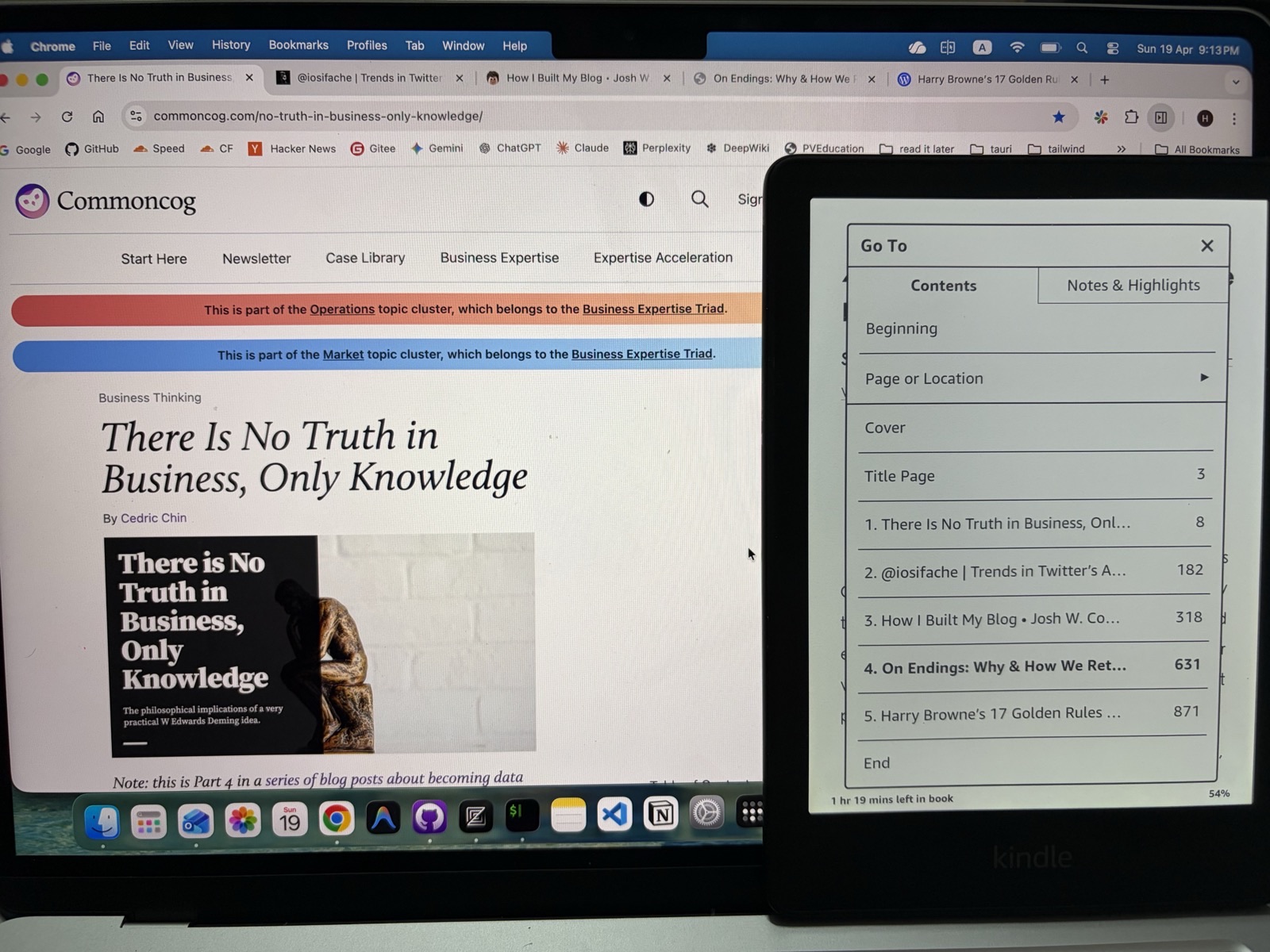
The auto-generated Table of Contents. Now all my saved tabs feel like a real book.
At first, I relied on simple bookmarking, but my bookmarks quickly became an unmanageable mess.
Then I relied on Omnivore to handle this. I have to say it was a great tool, but one day they suddenly announced they were shutting down the service, leaving us with very little time to migrate. That was the first time I truly felt like I was being kicked out. I spent so much time collecting content I loved, but in the end, it was stored in someone else’s repository—it felt as though those things never really belonged to me.
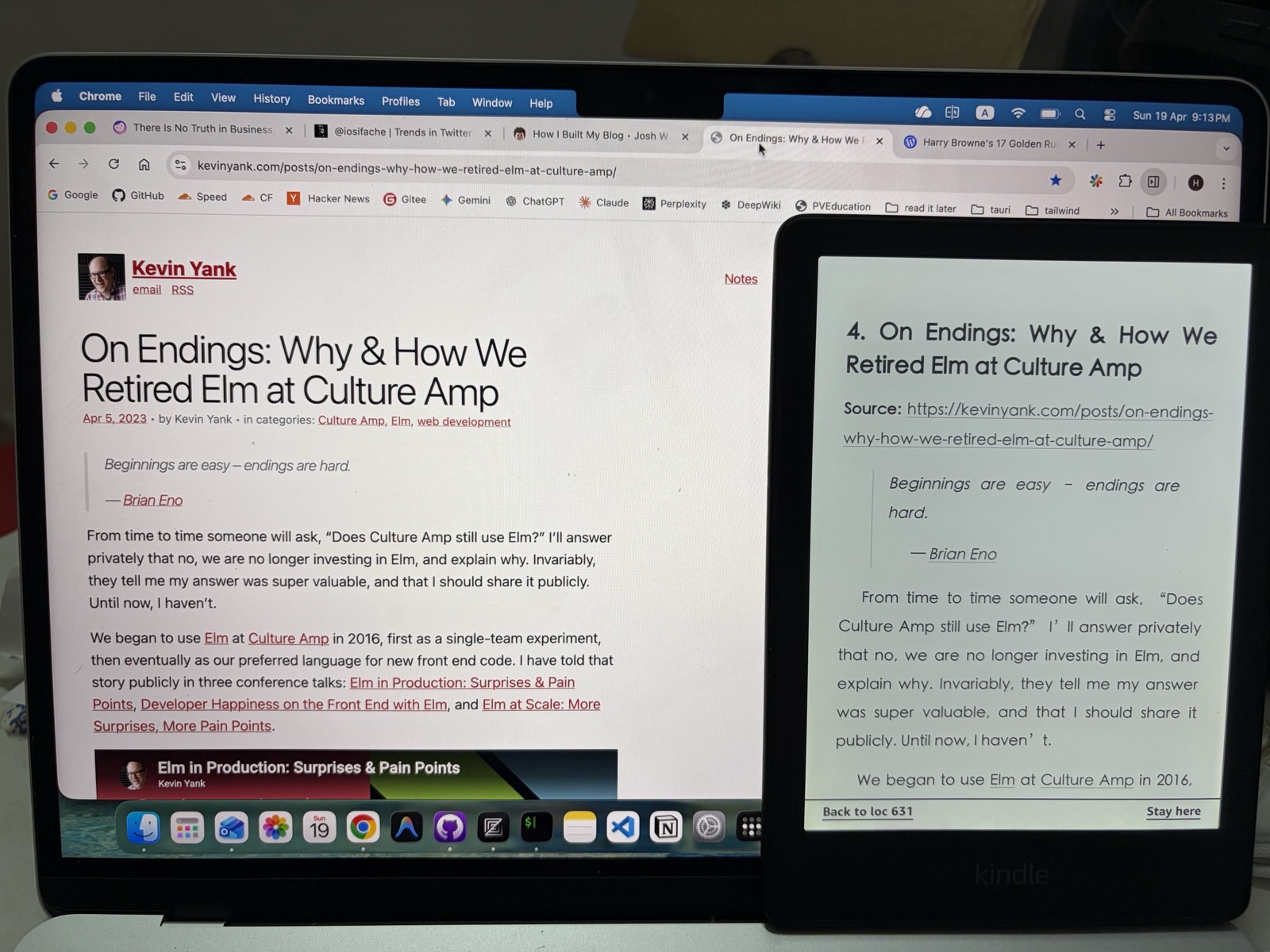
Reading "On Endings" on my Kindle—exactly as it appeared in my browser, but much easier on the eyes.
After that, I tried several alternatives like EpubPress, dotepub, etc. They were okay, but they all had limitations—like conversion limits, service interruptions, or being too complicated to use (they had way too many input fields; some parameters I didn’t even understand hahah... I just wanted to click a button and get it done). More importantly, my data was dependent on someone else’s servers.
So, I built my own tool: Any2Ebook.
It consists of two main parts: a browser extension that captures open tabs or bookmarks, and a desktop app that converts them into clean, readable EPUBs. The two communicate via a local HTTP port. The entire conversion process happens right on your machine—no data ever leaves your computer.
You use it, you own it.
Since everything is processed locally, there are no artificial limits on how many files you can convert.
What about PDFs?
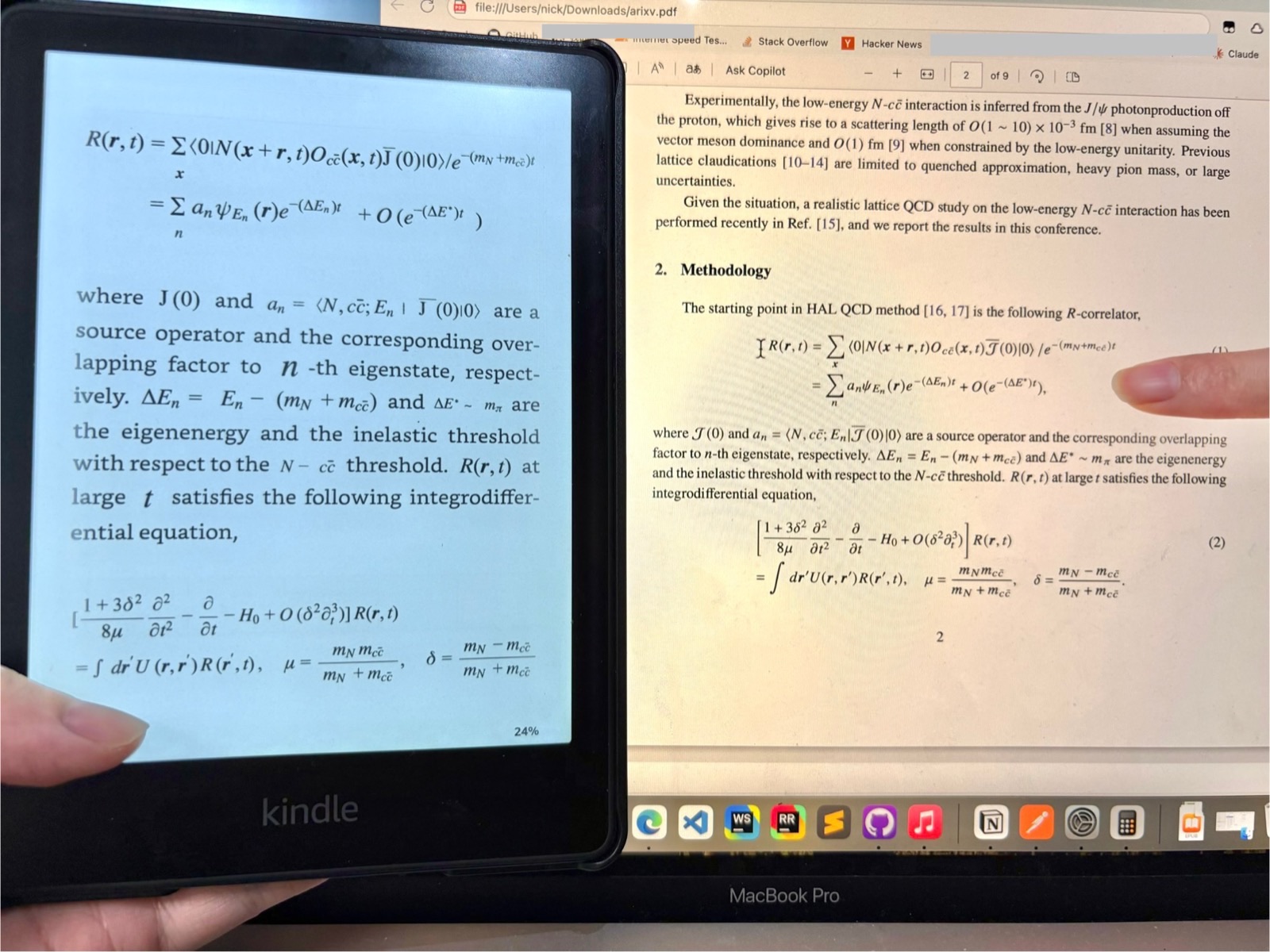
Complex math formulas in a research paper—perfectly rendered on the Kindle.
I also work with a lot of academic papers, so I added a PDF to EPUB feature. It uses AI to handle complex math typesetting and OCR. It really put me through the mill. I would certainly prefer to handle PDF OCR locally as well, but current local models are not yet mature enough. Running a powerful OCR model requires a high-performance PC, making it difficult for me to strike a balance between recognition accuracy and hardware requirements. Therefore, it is currently implemented using well-known, high-quality LLMs such as Mistral and DeepSeek, so it is a paid feature.
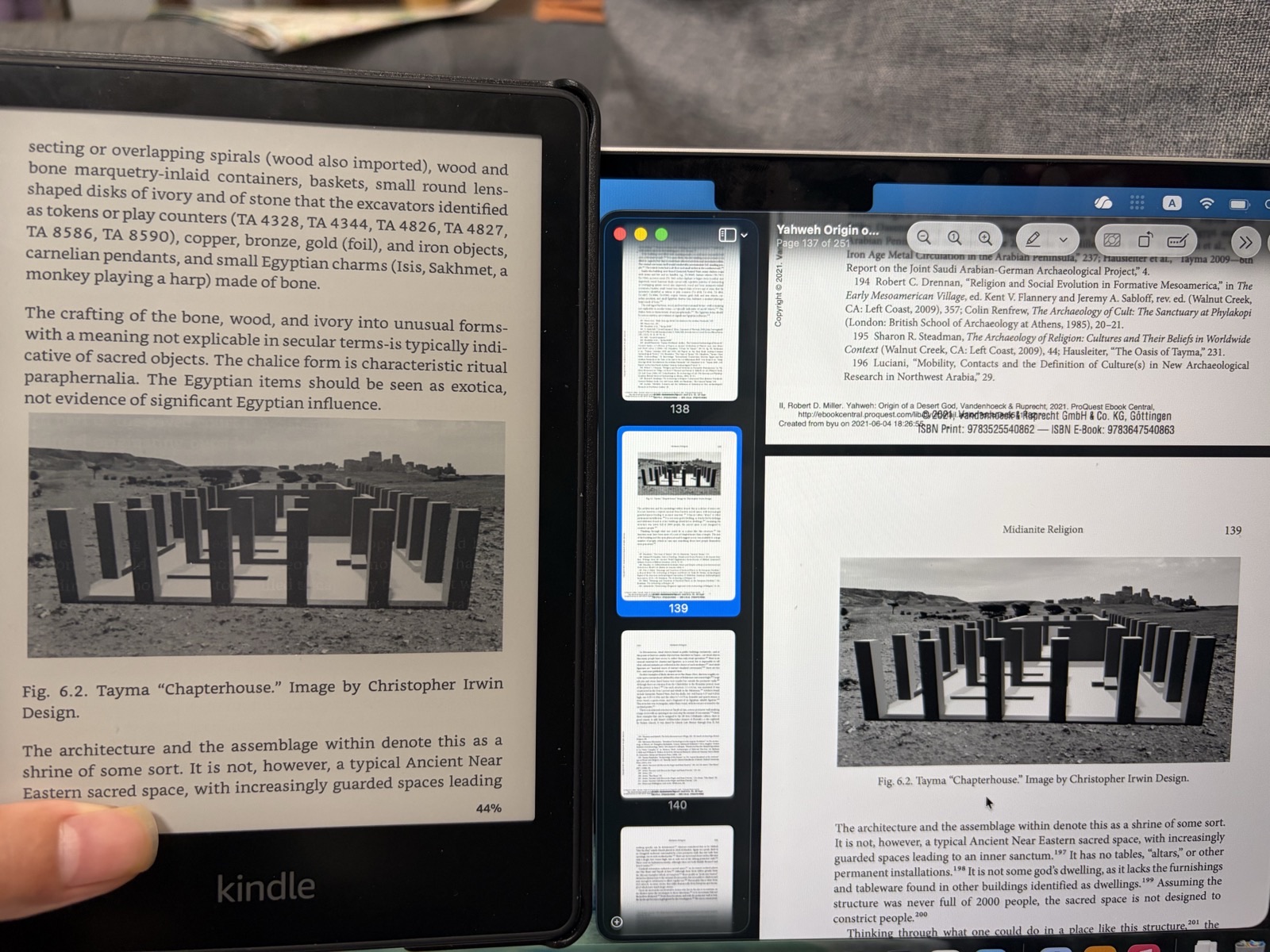
Handle images and footnotes well on scanned pdf
If local OCR models become efficient enough to run on standard laptops in the future, I’ll be the first to switch it over to a fully local implementation.
But if you don't need the PDF feature, the web content conversion is—and will remain—completely free and private.
These days, I usually batch-convert my favorite articles to EPUB and send them to my Kindle. E-readers are a godsend for focused reading!
I sincerely hope this tool helps others who value their reading privacy and ownership as much as I do. I’m happy to answer any questions or hear your feedback!
Hope this helps!
"Take care of yourself. ❤️"